Back to Projects

Application Merge

Merging two fragmented applications into one cohesive platform for libraries, archives, and universities.

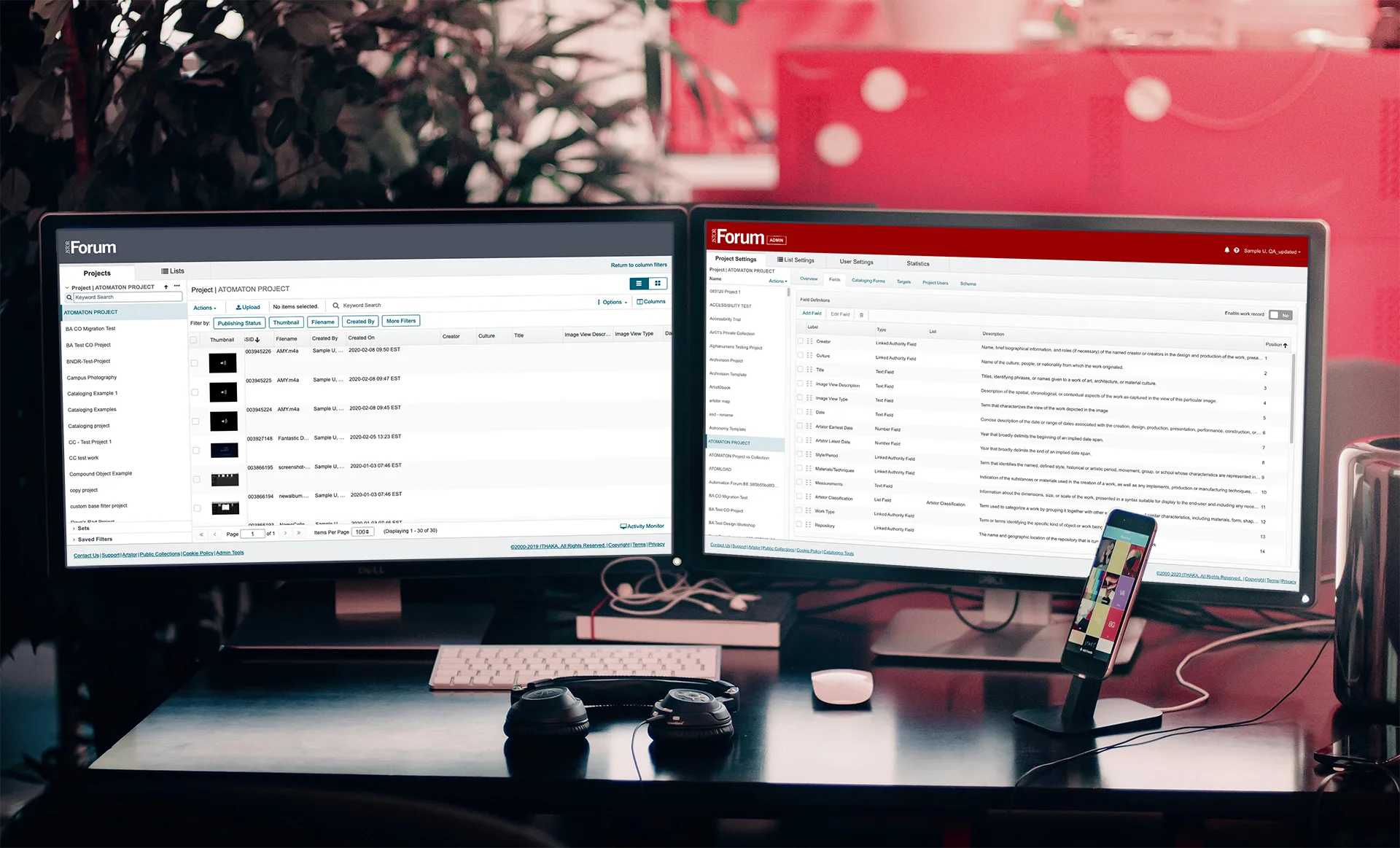
The merged Cataloger and Admin interface displayed across multiple screen sizes

Background

JSTOR Forum is a digital collection cataloging and publishing tool designed for universities, archives, and museums. It enables institutions to share their digital collections across platforms including JSTOR, The Digital Public Library of America, and custom Omeka sites. A few examples of collections published using JSTOR Forum:

Problem to Solve

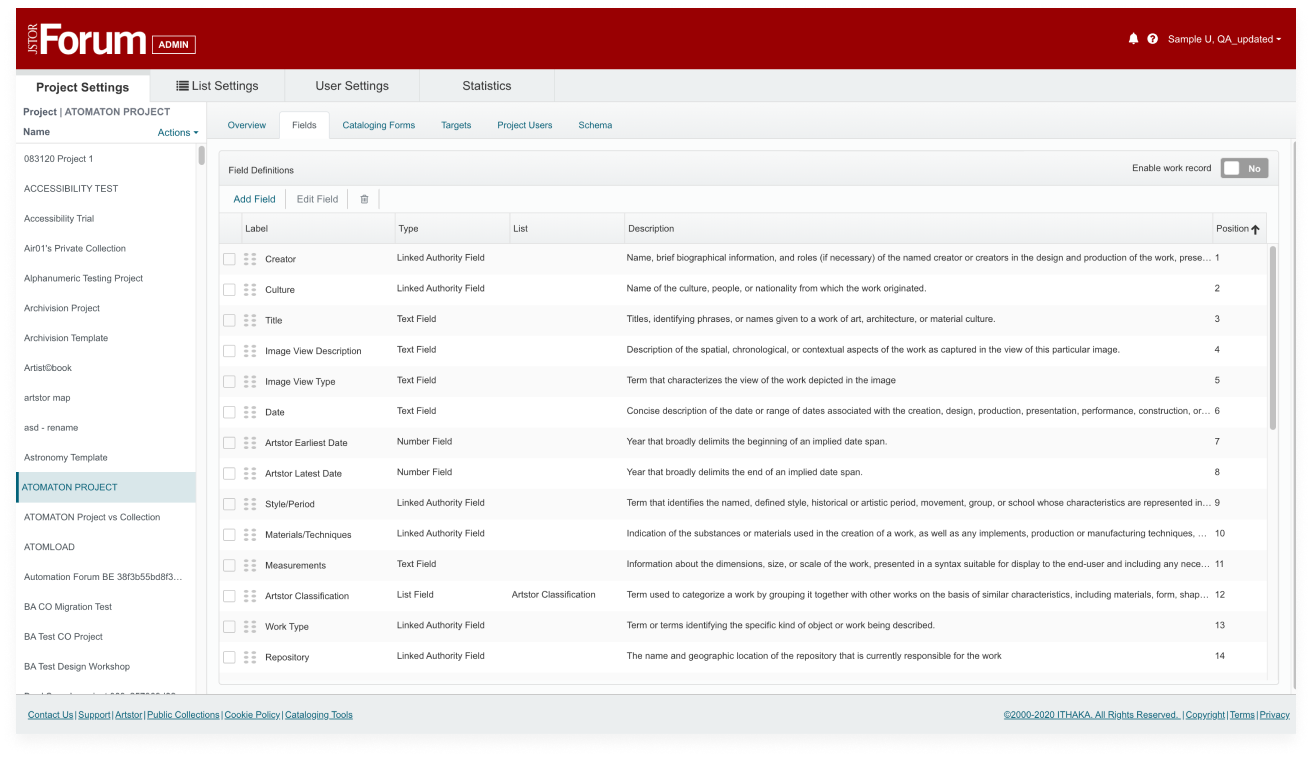
JSTOR Forum was originally fragmented into separate applications for catalogers and administrators, designed to meet the needs of a specific institution with distinct roles. As more institutions subscribed, this role-based separation became less relevant and created significant operational challenges.

The siloed approach resulted in disjointed codebases, restrictive user roles, and a fragmented experience that impeded performance improvements, publishing capabilities, and future innovation.
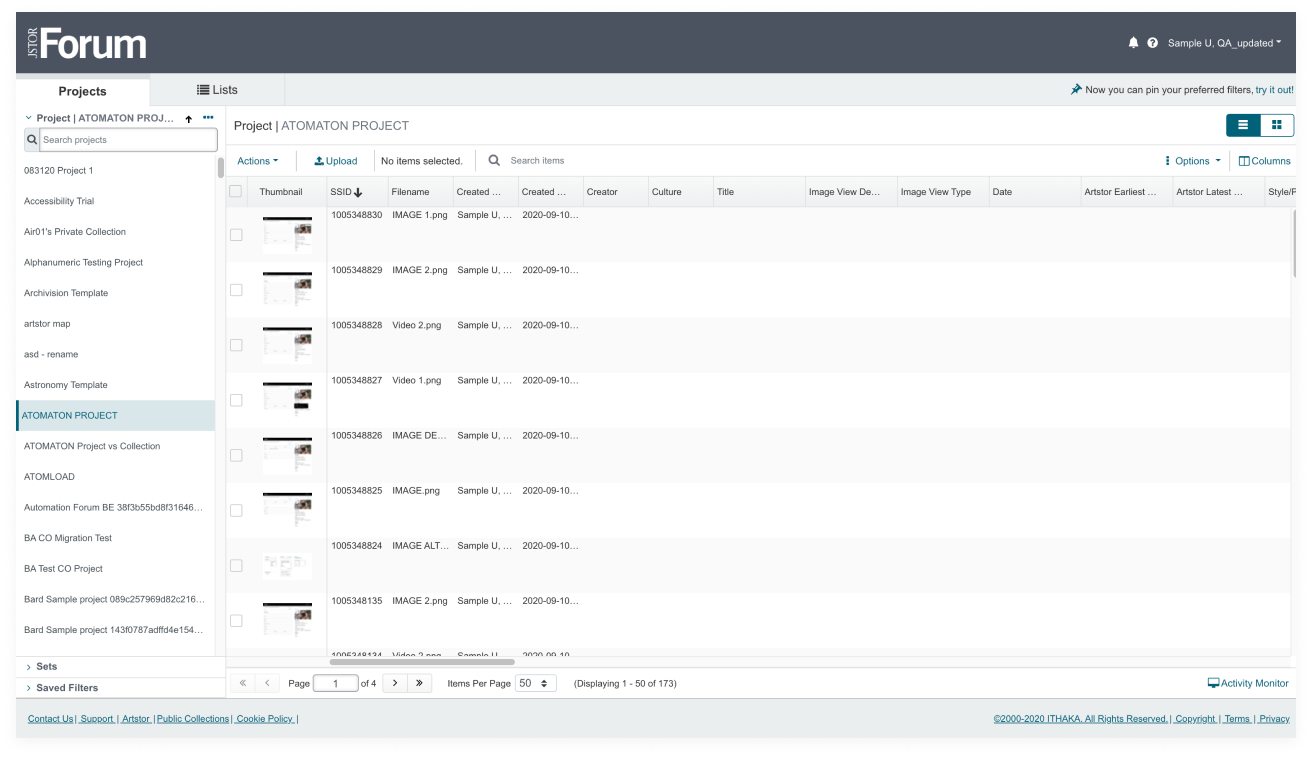
Screenshot of the original cataloger application
Cataloger — original application
Screenshot of the original admin application
Admin — separate application

Goal

Merge the Cataloging and Publishing tools, unifying the codebase, enhancing user workflows, and creating a more flexible, coherent platform that can scale.

Roles

  • Information Architect
  • Content Strategist
  • UI Designer

Process

  • Content and feature inventory
  • Create three concepts of varying scope
  • Review concepts with stakeholders and test with users
  • Develop and launch final design based on evidence collected

Concept 1

Advantages

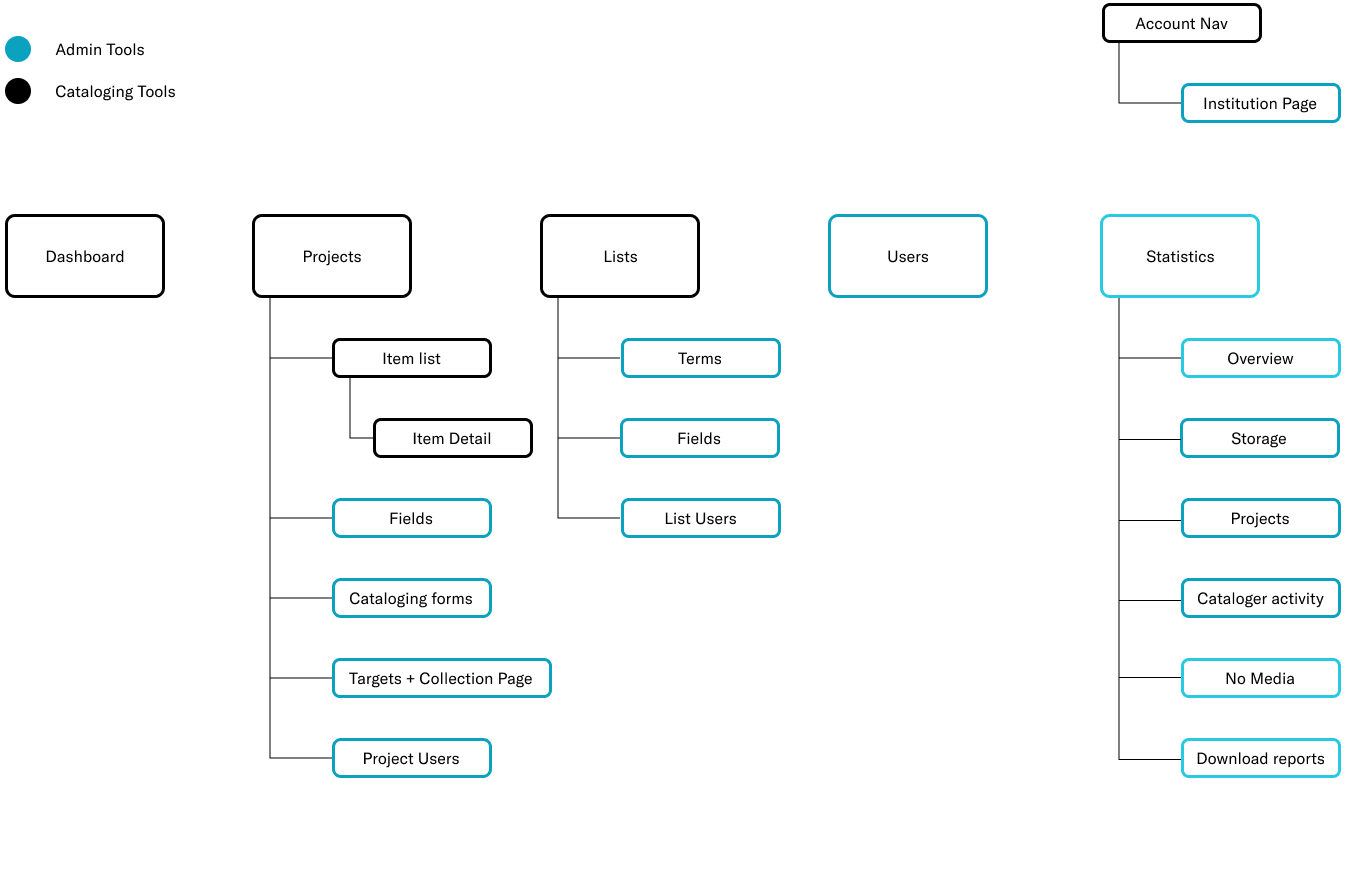
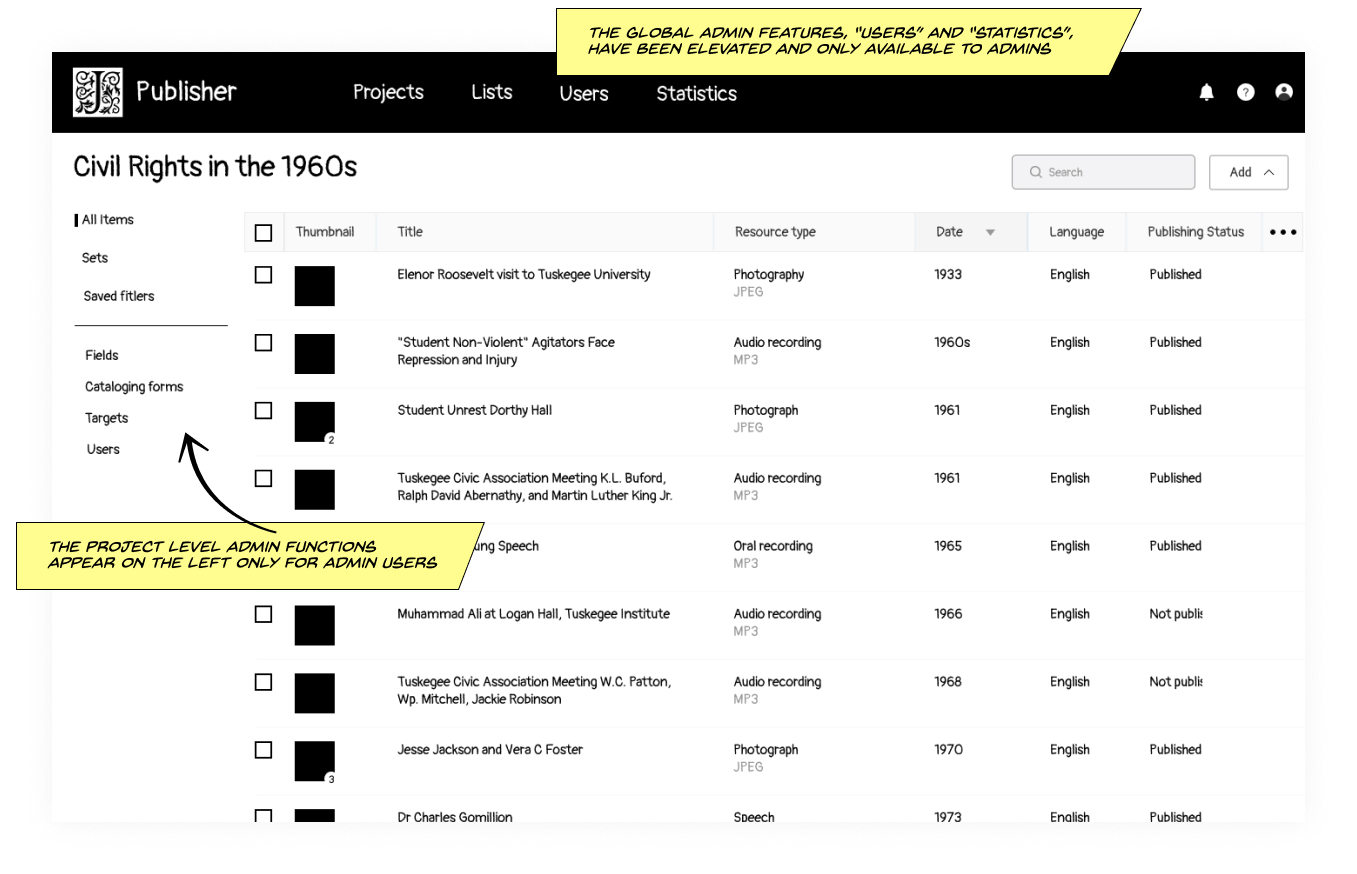
The simplest and fastest way of bringing the current admin features into the cataloging tools while maintaining some principles of user experience and design. This concept would be an easy transition for current users and quick for engineers to migrate.

Disadvantages

The administrative tasks are still separated from cataloging tasks in arbitrary and idiosyncratic ways, as they were before.

Sitemap illustrating the structure for Concept 1
Concept 1 — structure
Low-fidelity mockup of the cataloging interface with administrative tools included
Concept 1 — item list mockup

Concept 2

Advantages

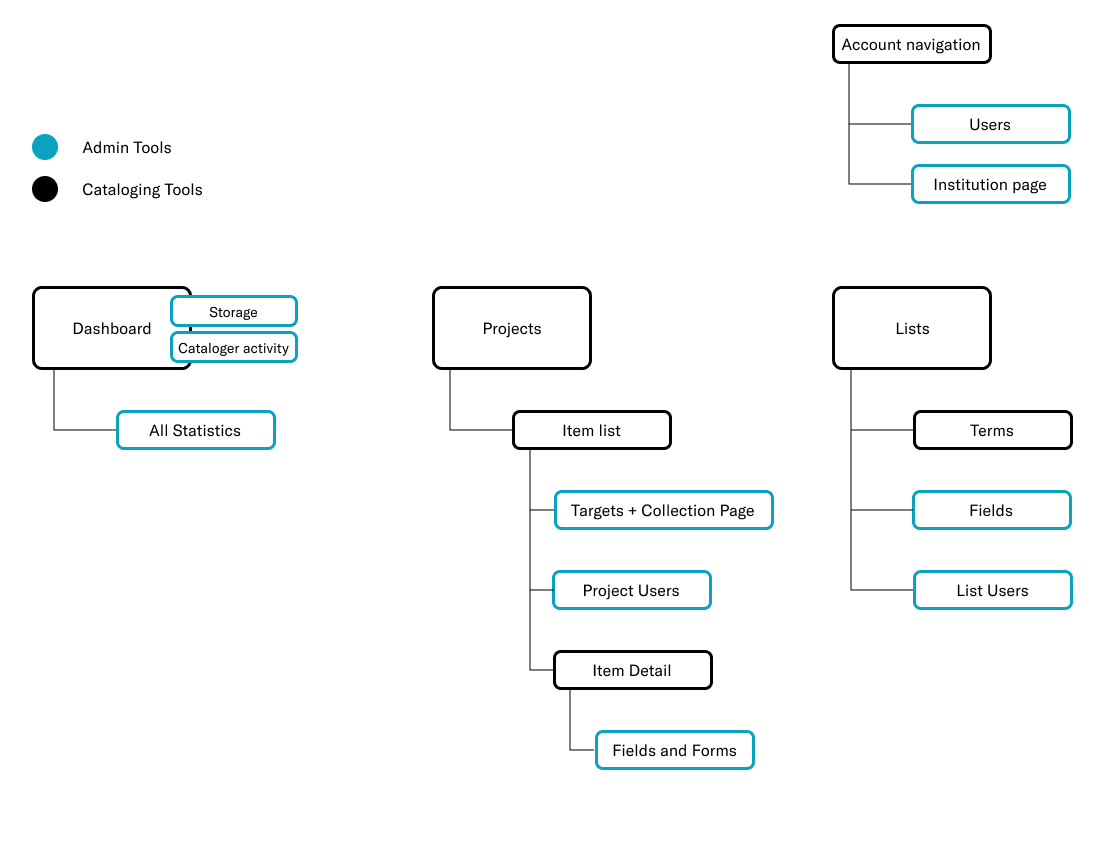
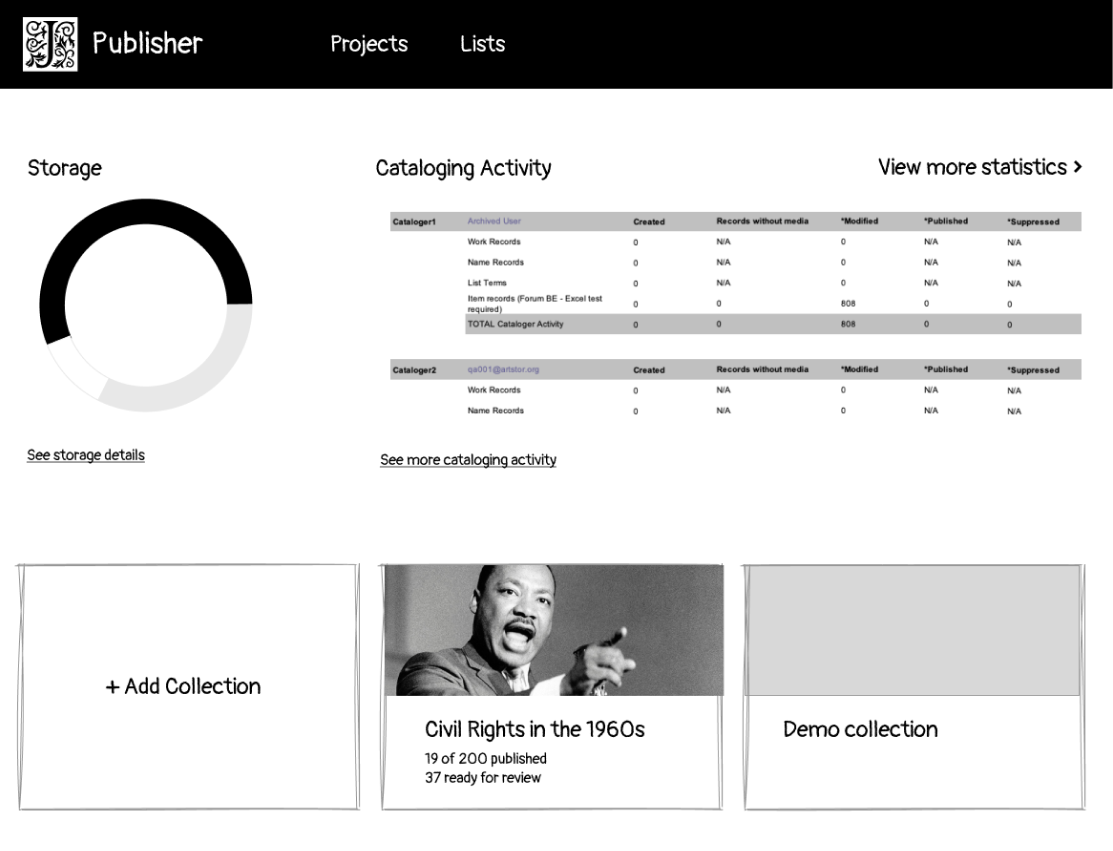
The admin functionality is broken down into individual features, prioritized and streamlined, then selectively placed into workflows in a deliberate and intuitive way. This concept would be learnable by both current and new contributors. This is what we ultimately built and launched.

Disadvantages

A more complex and time-consuming effort to build and launch. Institutions would need to update their workflows and training materials.

High-level sitemap illustrating Concept 2
Concept 2 — structure
Low-fidelity mockup showing a dashboard with analytics
Concept 2 — sketch

Concept 3

Advantages

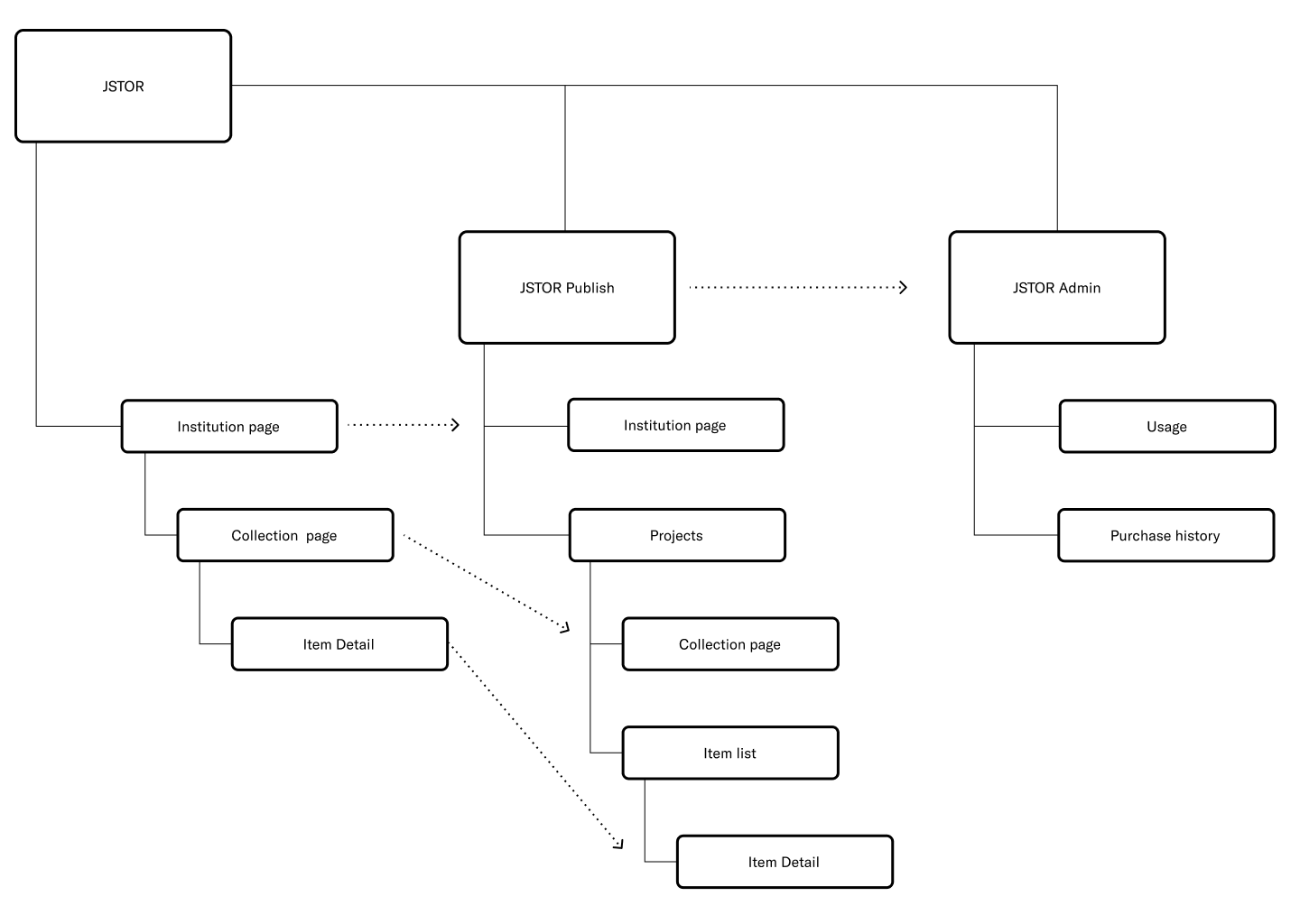
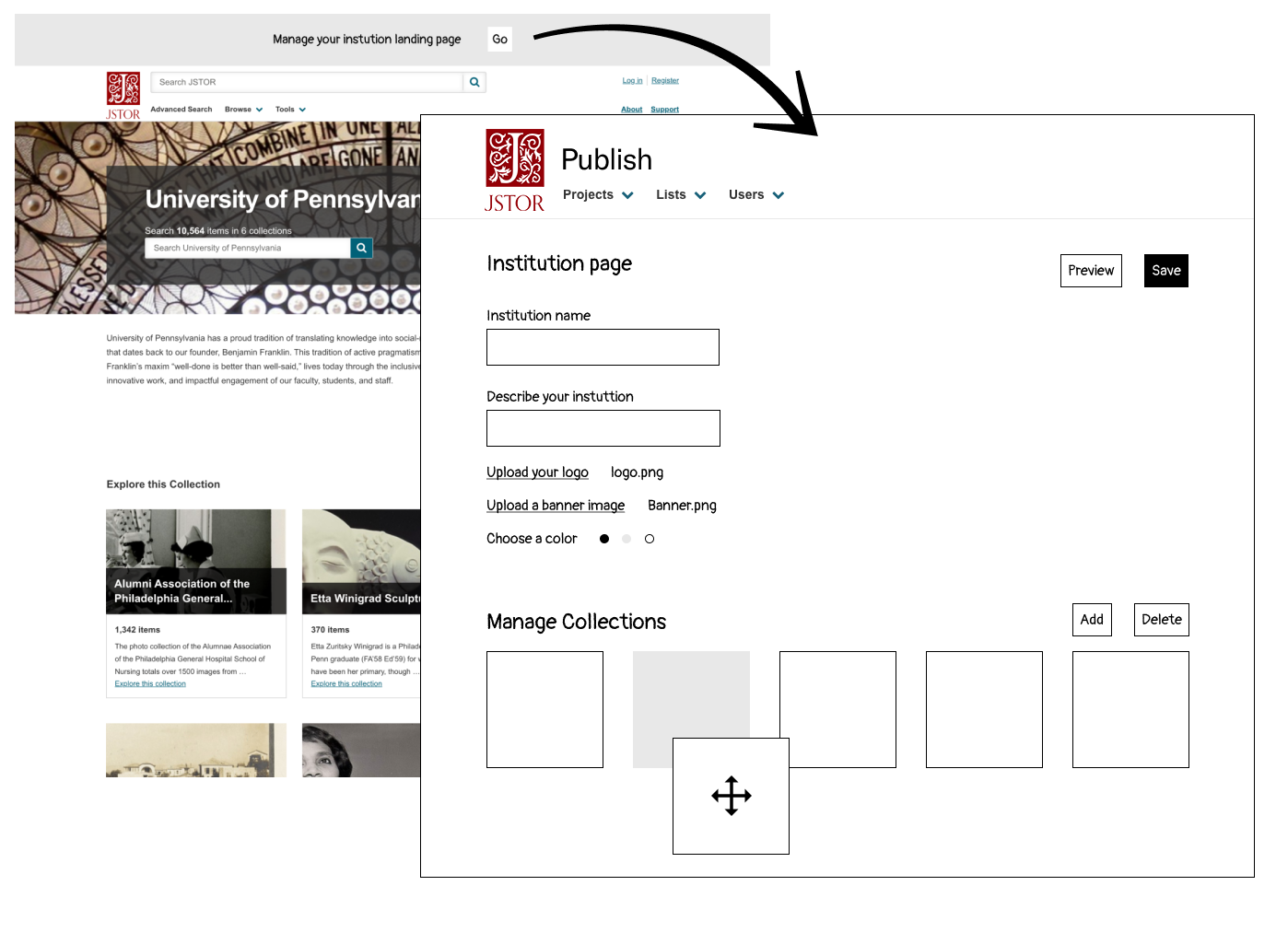
Looking toward the future, this concept shifted away from a catalog-centric experience into a publishing and content-management product. Publishing features would be integrated directly into the digital library platform, similar to a CMS.

Disadvantages

While this aligned with the future direction of the organization, it presented a profound impact on many teams and the broader JSTOR platform.

New Product Inspiration

Starting small with entry points from the platform to the publishing tool could be considered in the near term. Ultimately, ideas from this concept inspired a new product called Collection Loader.

High-level sitemap illustrating Concept 3
Concept 3 — structure
Low-fidelity mockup for Concept 3
Concept 3 — sketch

Final Design

Dashboard

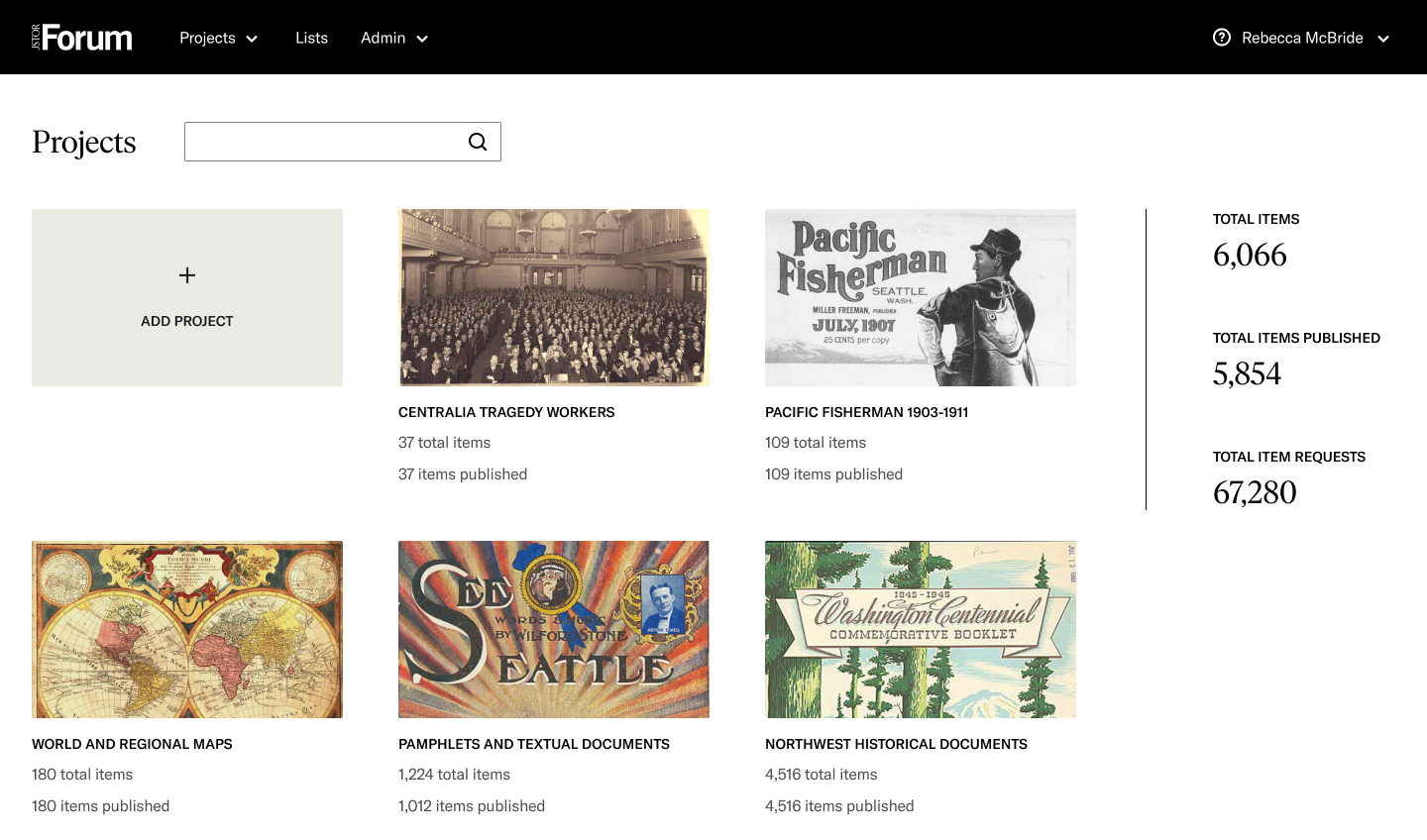
I designed a dashboard that gives users a clear overview of their projects and key collection statistics, informed by user testing feedback. Previously, users were taken directly to the last project they edited after logging in — which felt disorienting and lacked a true sense of home.

Screenshot of the final design showing a list of collections alongside collection statistics
Final dashboard — projects and collection statistics at a glance.

Navigation Update

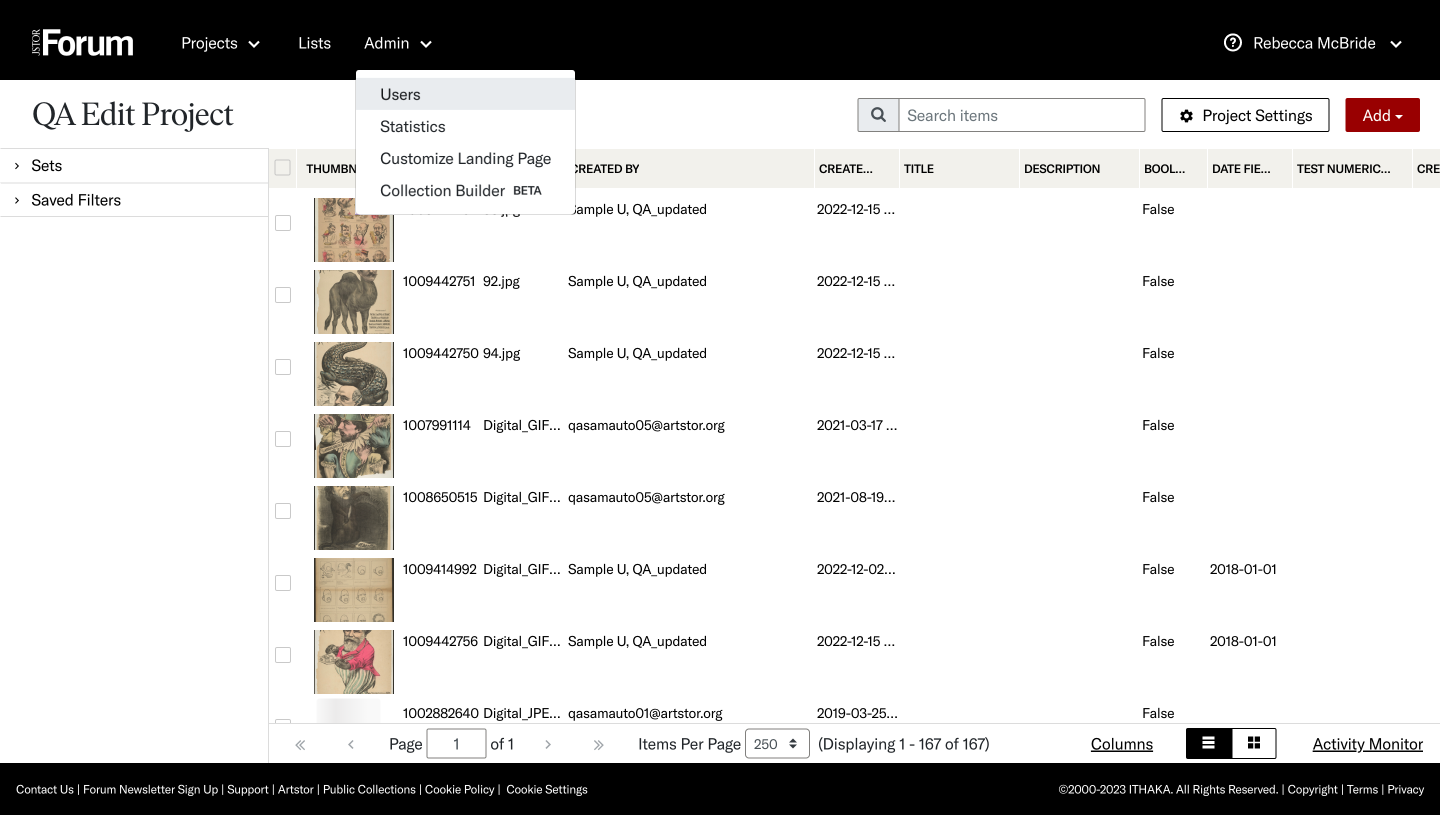
I redesigned the global navigation system to better support scalability for new features, including role-based admin tools and early access to beta features. Project settings were integrated directly within each project, conveniently placed at the top of the item list to resolve the previously disjointed experience.

Screenshot of the final item list page with global navigation and an admin dropdown
Updated navigation — admin tools and beta access integrated into a single global nav.

Outcome

"I like the new joining of the Admin with the Cataloger environment. I would find myself having to login separately when I was trying to set up projects for students. It's now just much, much easier."

Emily, Rhode Island School of Design
Back to Projects